Your water, scored
Waterlands scores your water 0–100 from your own logged trips — not a generic almanac. Nine steps from first spot to alerts that fire when it lines up.
- Step 1 · The pitch
Step 1 of 9. One number for your water
Checking the river used to mean nine tabs and a judgment call. Waterlands watches the gauges, weather, and snowpack over the water you actually fish, learns from every trip you log, and puts one number on every day ahead.
The number is not an almanac and not a crowd average. It is built from your trips, on your water.
→NextFirst, give it some water to watch.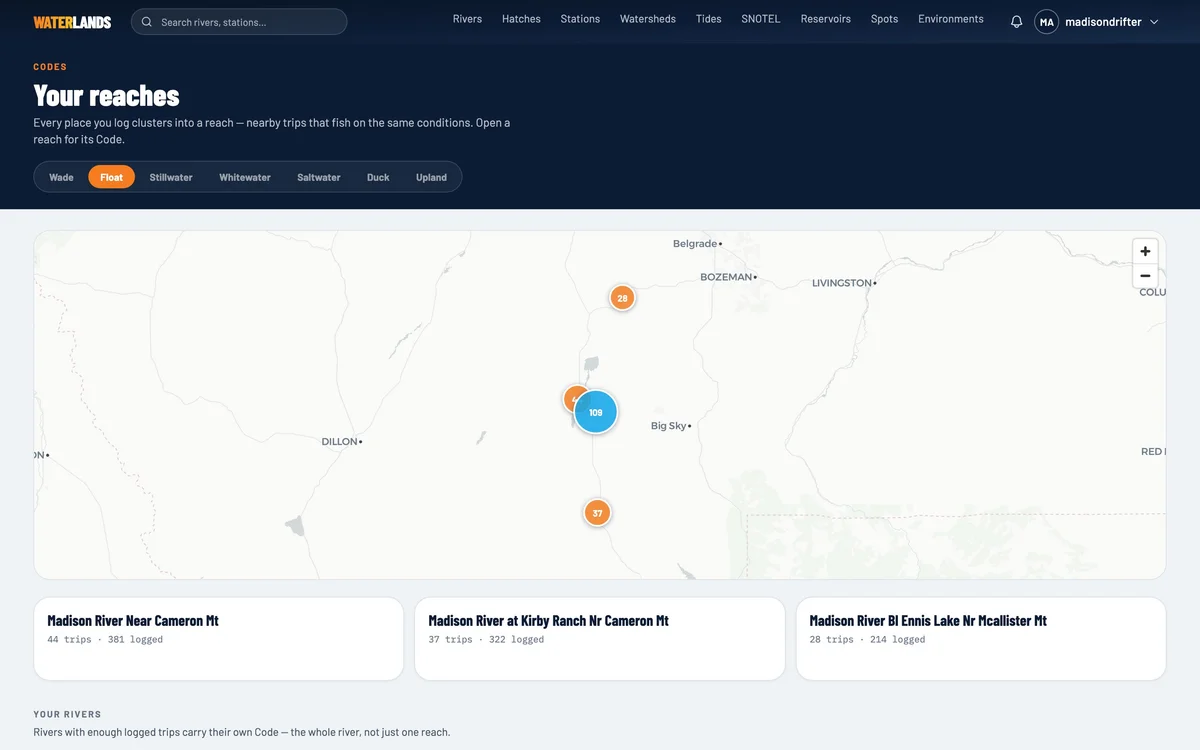
- 1Your Code — 0 to 100, from your own logged trips
- Step 2 · Start here
Step 2 of 9. Drop a pin on the run you fish
A spot is the smallest unit of the whole system — the run below the bridge, the flat you row through at noon, the bank you walk in the evening.
Save it once and everything downstream keys off it: the conditions that get snapshotted, the reads you take, the reach your Code is built for.
TipName spots the way you talk about them. "Lyons to Ruby" beats "Spot 3" when you are looking at a season of them.→NextNow point it at a gauge.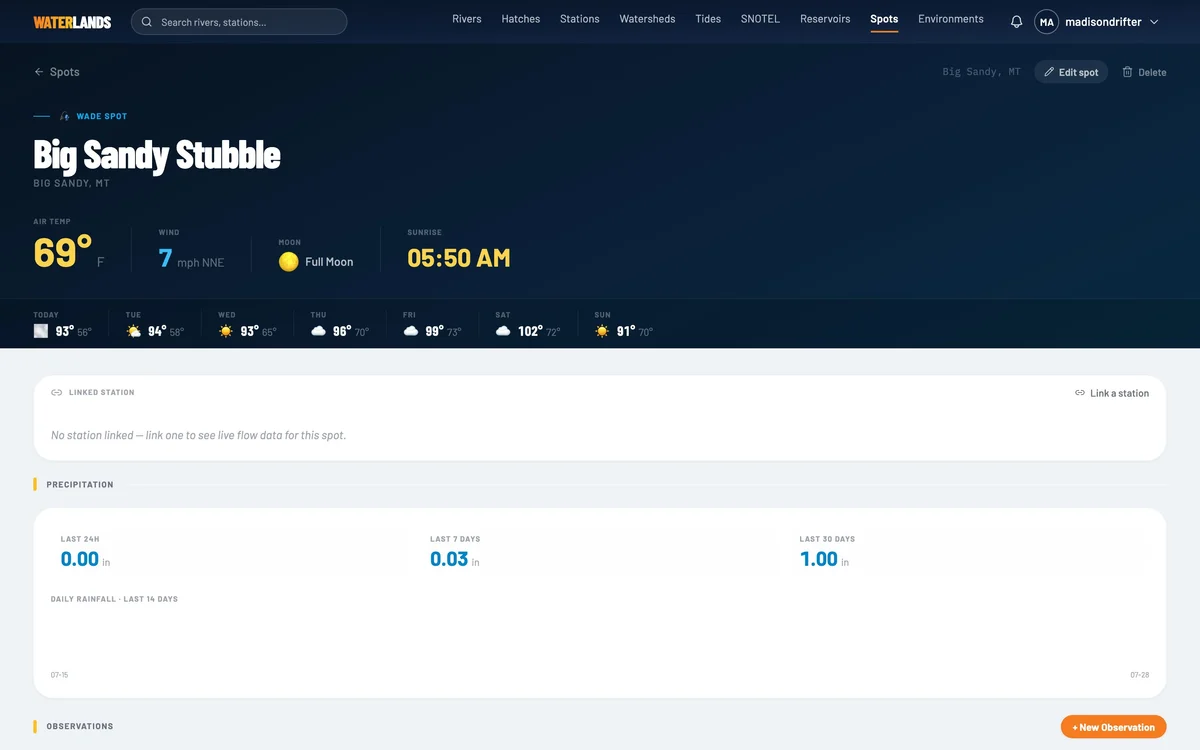
- Step 3 · The inputs
Step 3 of 9. Every gauge, one place
Search USGS, USACE, and TVA gauges, SNOTEL sites, reservoirs, and tide stations. Favorite the ones you fish and drag your home water to the top.
Each station carries flow, temperature, and trend — and the number that actually matters, which is not today's CFS but where today sits against the window this reach fishes.
Flow + trendWater tempSnowpackDroughtHoot Owl→NextWatched water plus logged trips is where the pattern starts.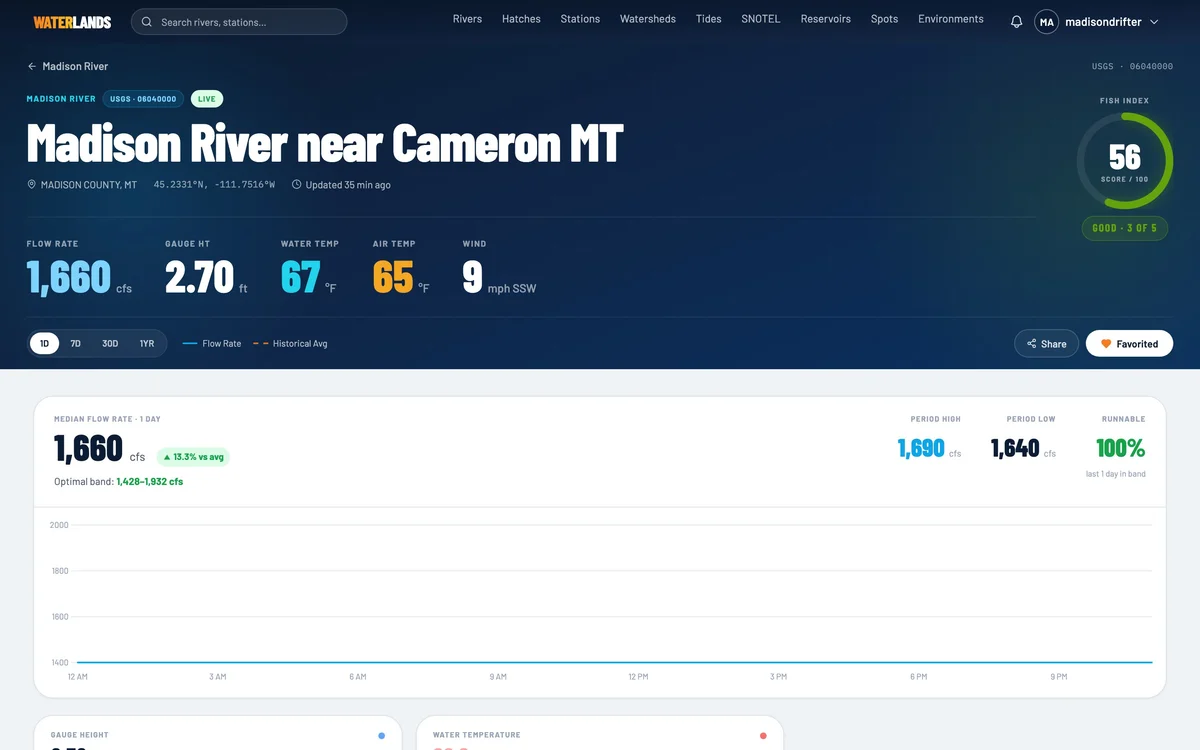
- Step 4 · Before you go
Step 4 of 9. Take a Read
A Read scores a specific place, date, and window against the most similar days you have already fished. It tells you what it expects and, more usefully, how confident it is.
The answer is grounded in your own history. Thin history, low confidence — and it says so rather than bluffing.
→NextThen go fish it, and tell it what happened.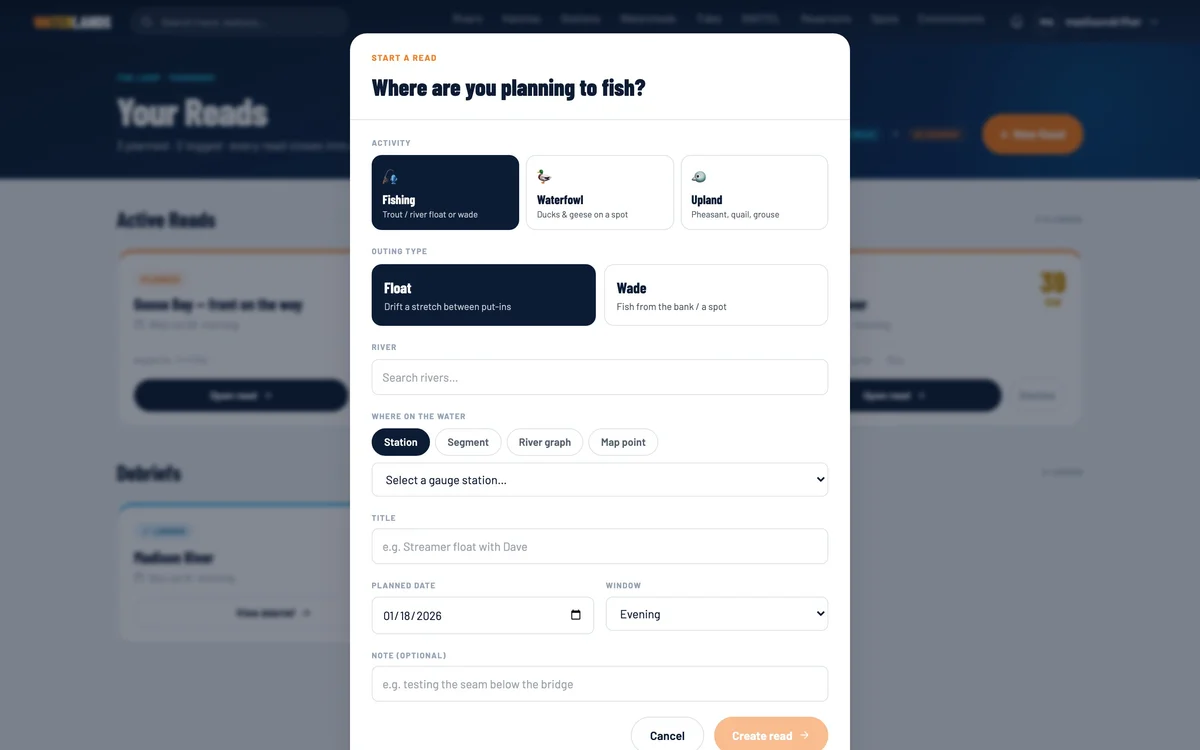
- Step 5 · The habit
Step 5 of 9. Log it while you live it
Float, wade, lake, or salt — start a session and add fish as they come. Waterlands snapshots flow, weather, pressure, and moon at that place and hour automatically.
You never write down conditions again. That is the whole trick: the logging has to be light enough that you actually do it, because the log is what makes everything else work.
→NextEvery logged trip is training data.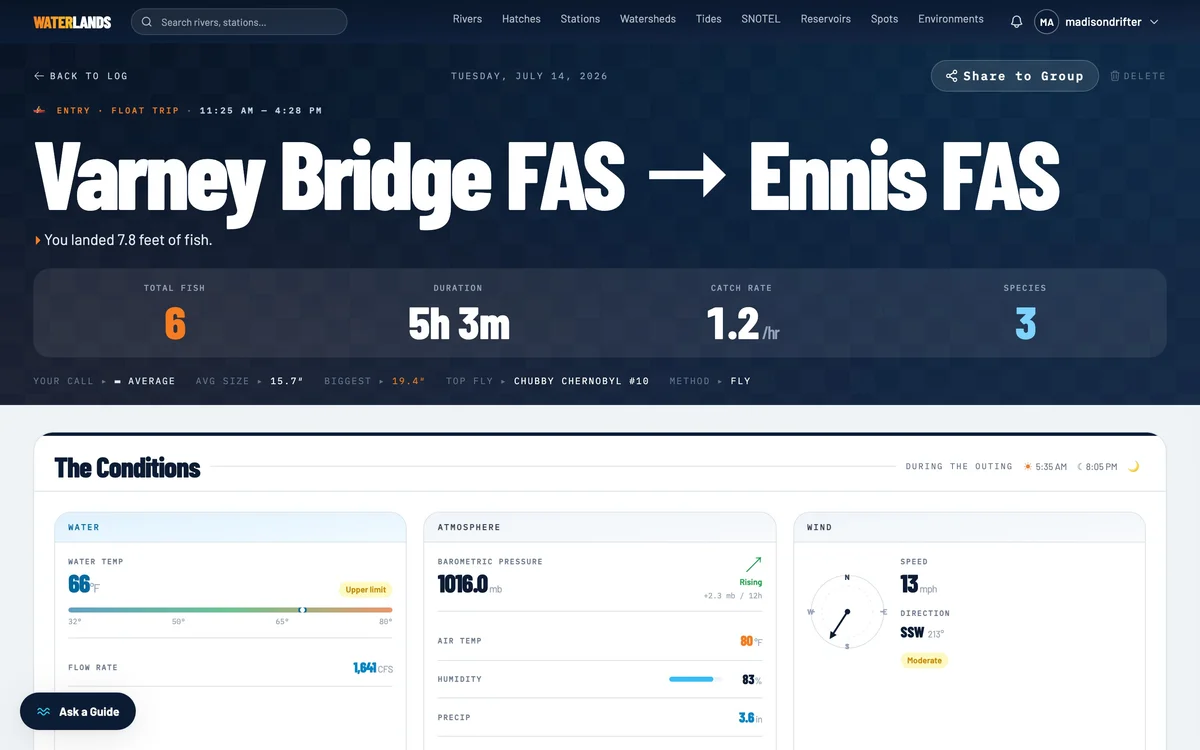
- 1Conditions snapshot — zero typing
- Step 6 · After you go
Step 6 of 9. File a Debrief
Thirty seconds after the trip, the Debrief grades the call: what the Read predicted against what actually happened, and where the day ranked among everything you have logged on that water.
This is the part that compounds. A prediction nobody checks never gets better.
→NextEnough of these and the water starts to have a signature.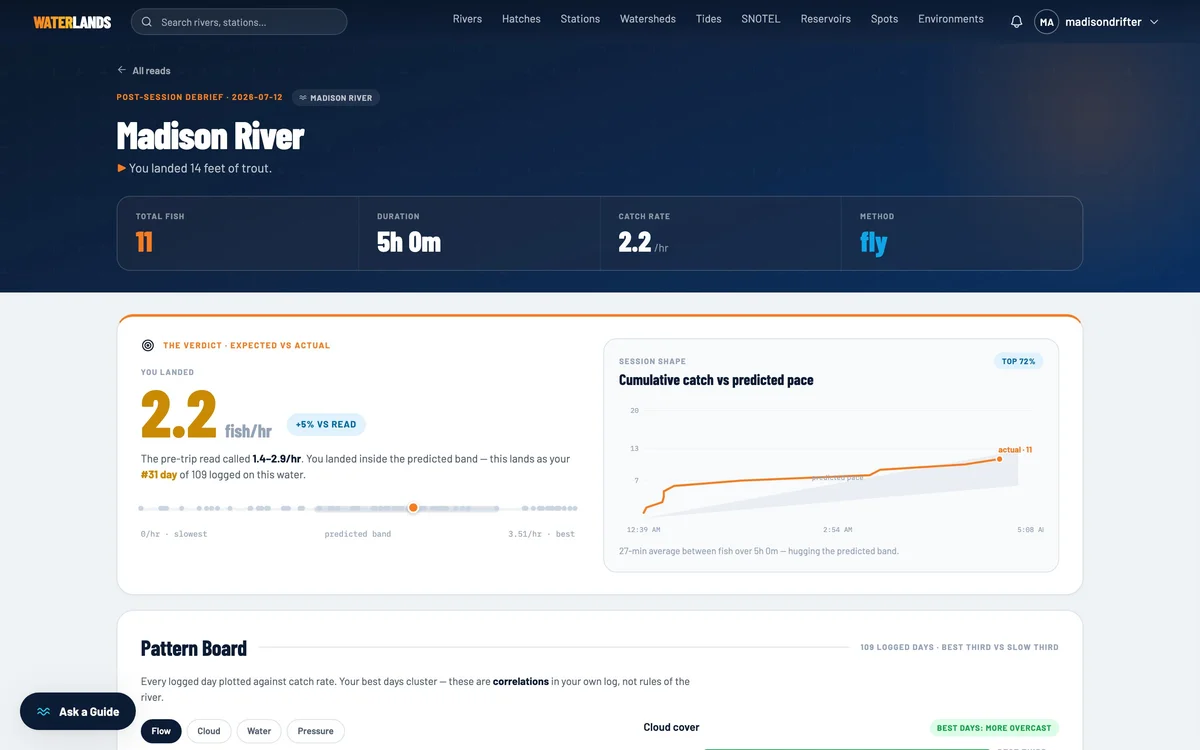
- Step 7 · The payoff
Step 7 of 9. See why, not a vibe
After a handful of trips your water carries a Code — 0 to 100, broken down by reach, with the signature of conditions behind your good days.
Every point is attributed. Flow band, cloud, pressure trend, solunar. When a factor does not actually predict anything for you, it says so instead of padding the story.
TipNearby trips that fish on the same conditions cluster into a reach, and each reach carries its own Code.→NextA score you trust is worth building a board around.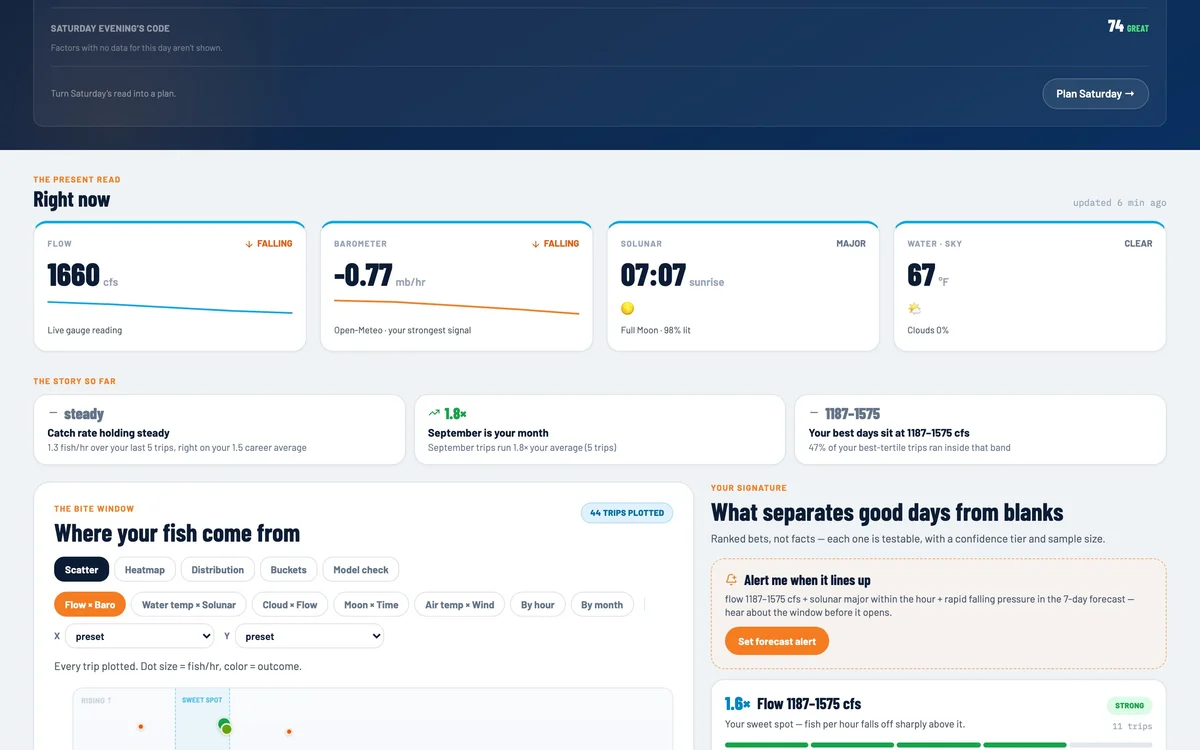
- 1Factor attribution — what is actually driving it
- Step 8 · The aggregation
Step 8 of 9. Build your Environment
This is where it comes together. An Environment is a board you compose from the widget registry — your spots, your gauges, the weather, snowpack, drought, restrictions — pulled into one aware view.
Everything else in Waterlands is a component. The Environment is what you assemble out of them, for the way you actually fish.
Weather BoardSnowpack / SNOTELDrought (USDM)Water qualityHoot Owl→NextA board is what your alerts watch.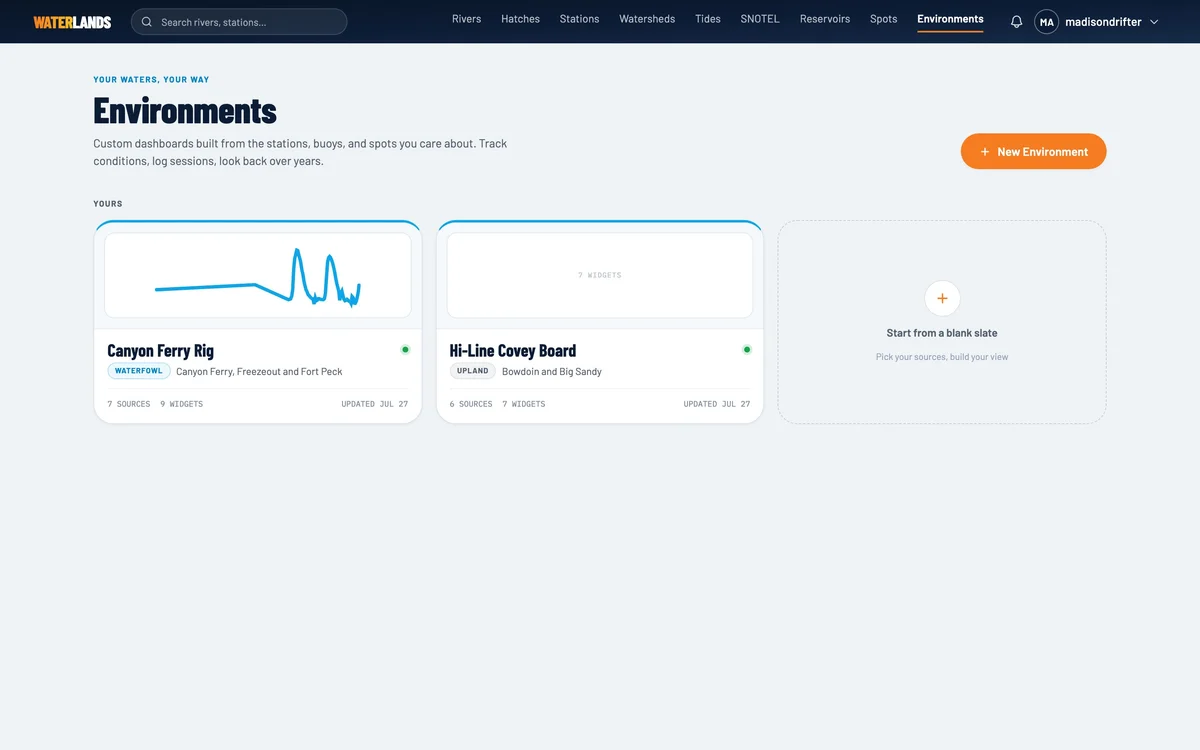
- Step 9 · The trigger
Step 9 of 9. Let the water call you
Set thresholds once and stop checking. "Tell me when flow drops into the band and pressure is falling." It fires before the window, not during it.
Then the season accumulates: a heat map of where your year went, a fly box that remembers what worked, a crew you share reads with.
Season over seasonAlso in the bag
Compound alerts across gauges, reservoirs, weather, tides and moon. Session heat map. Fly box. Observations. Groups.
For shops and guides
Your anglers already ask you how the water is
Waterlands answers with their own data, and keeps your shop in the conversation between visits.
Their log, your water
Every customer trip on your rivers becomes structured history they keep coming back to.
Groups with your name on them
Run a shop or guide group and share reads and windows with clients before the weekend.
Nothing to install
Send one link. Free to start, no credit card, works in the browser today.