
The lake, on one screen
Pool against the bushes, storage against normal, the thermocline model and your practice notes — one board, built once on the web app.
- Step 1 · The problem
Step 1 of 6. The lake moves more than the fish do
Pool up two feet and the bushes are in the water. Pool down four and your flipping bank is a mud flat. Add pressure swings, wind, and the thermocline setting up in June — the lake you practiced on is not the lake you fish Saturday.
An Environment keeps the whole moving picture on one screen, so you stop reconstructing it from memory and screenshots.
→NextStart on the Environments page.About 10 minutes to buildOne screen, the whole lake
Pool against the bushes, storage against normal, the modeled thermocline, pressure and wind — plus your practice notes next to all of it.
- Step 2 · Step one
Step 2 of 6. New Environment, tagged Largemouth
Hit New Environment on the web app, name the board, and pick the Largemouth tag. The tag sorts the widget palette so the reservoir kit — pool, storage, thermocline — and the tournament kit lead.
This guide builds a Lake Fork board; swap in your own lake and the steps do not change.
→NextThen give it the lake.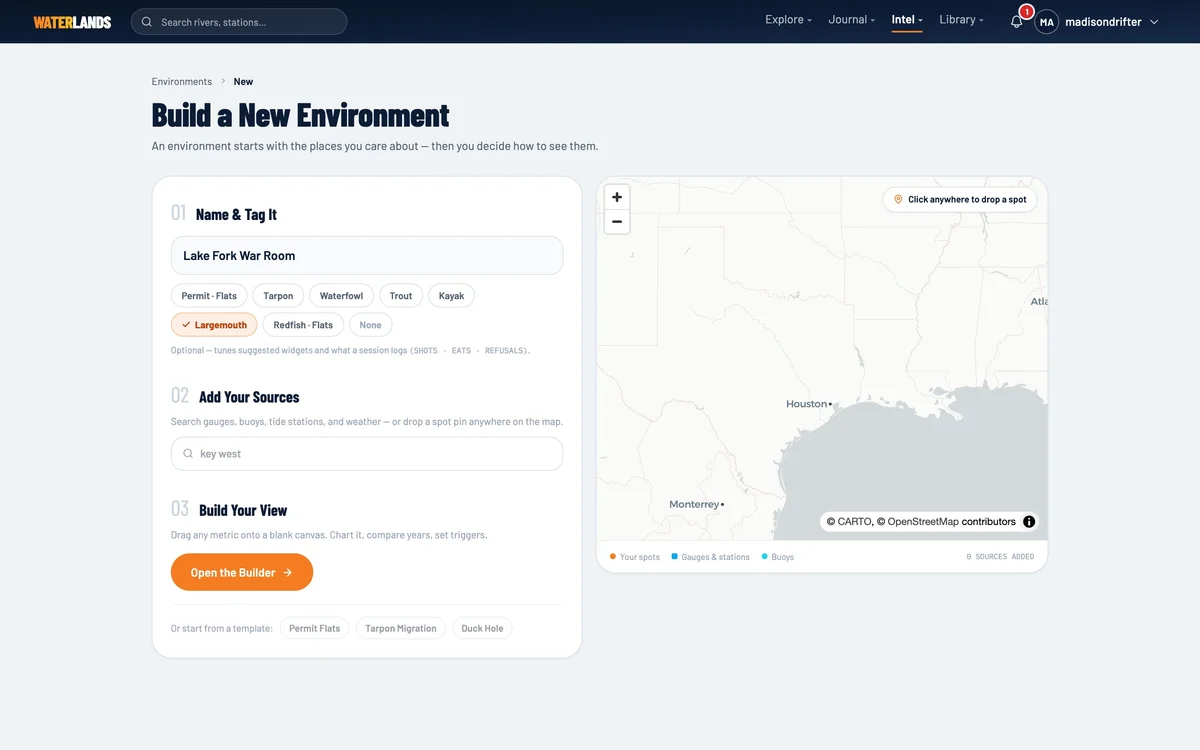
- 1Largemouth — leads the palette with the reservoir and tournament kits
- Step 3 · Sources
Step 3 of 6. The reservoir is the source
Attach the reservoir itself — Texas lakes come through the state's own Water Data for Texas feed, Corps lakes through USACE — plus a weather point over the lake and your best spots as pins.
Every source is probed on attach: the board shows exactly which readings it confirmed, and widgets can only bind to those. Lake Fork's feed serves level and storage, not water temperature, so this board will never pretend to know the surface temp — a widget with no honest source is a widget you do not get.
Reservoir (TWDB / USACE)Weather pointYour Spots→NextNow build the war room.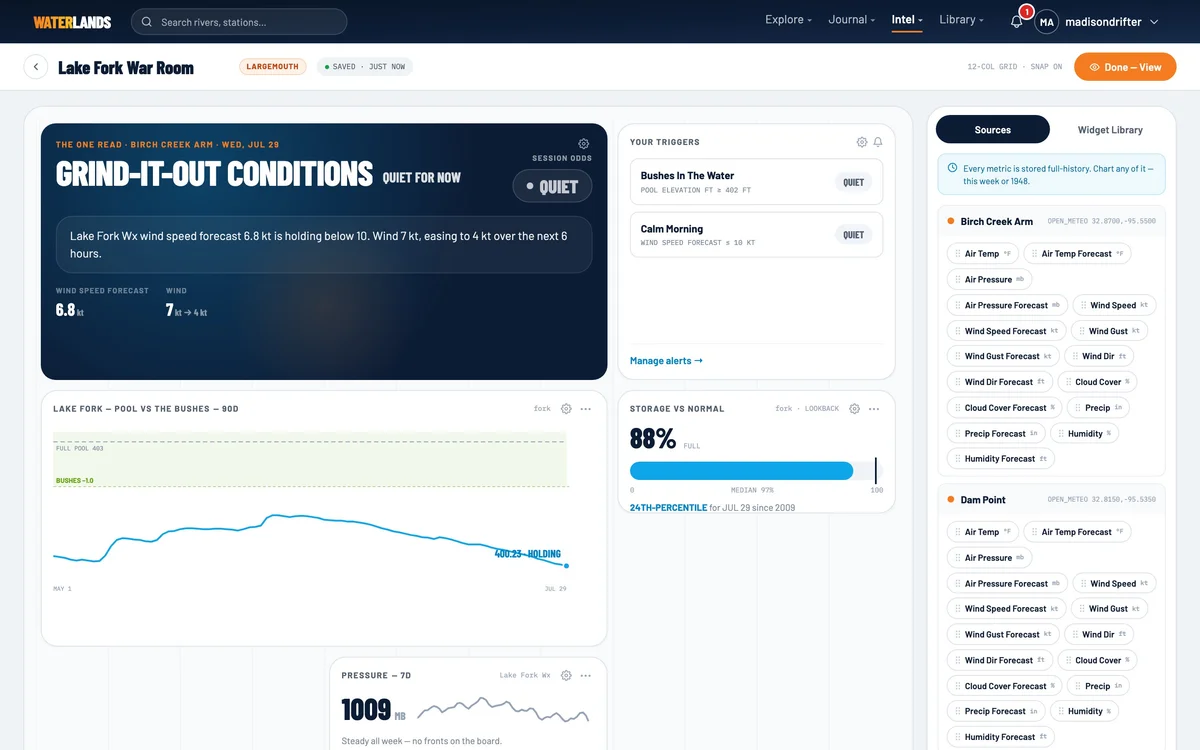
- Step 4 · Widgets
Step 4 of 6. Pool, storage, thermocline, pressure
Pool Elevation is the anchor — the level against full pool, with your own named lines. Put BUSHES at the elevation where your bank floods and the chart answers the only question that matters before you ever launch.
Storage vs Normal tells you how this year sits against the archive. The thermocline widget is a model — its name says (modeled) on screen and it means it — but it puts the summer starting depth in front of you. Pressure Trace and Wind round out the morning read.
Pool ElevationStorage vs NormalEst. Thermocline (modeled)Pressure TraceWind Now + Forecast→NextThen add the practice-day kit.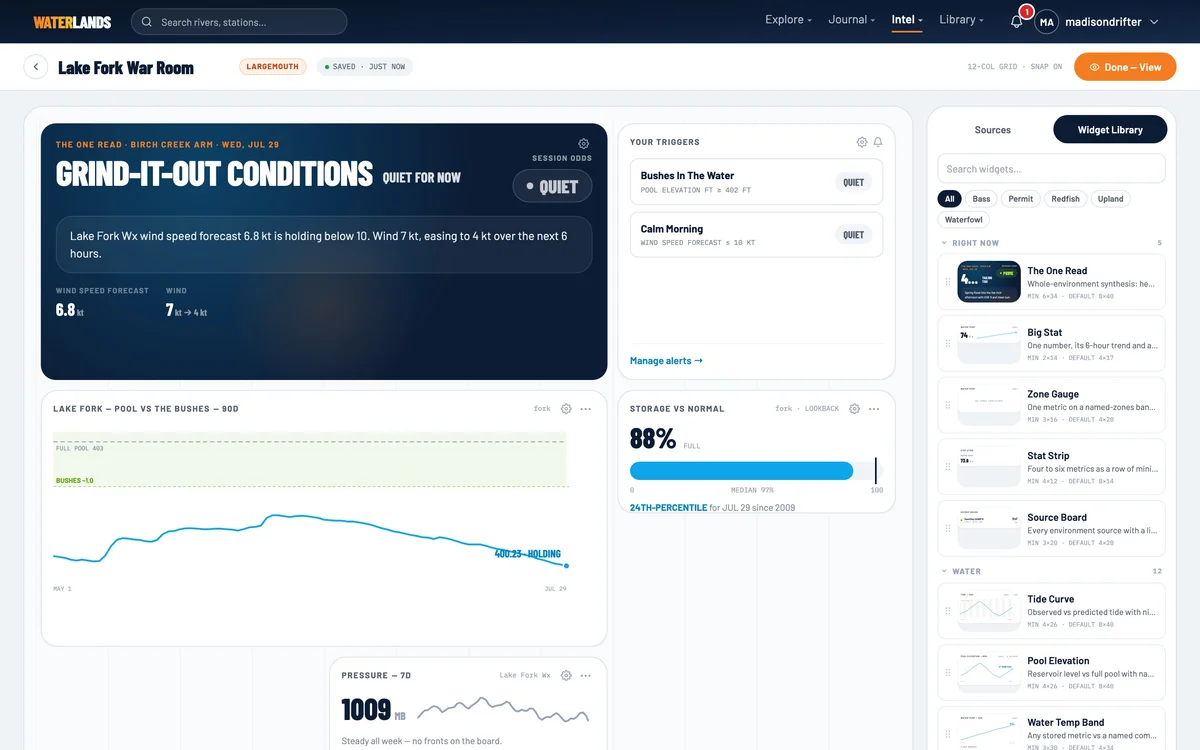
- 1BUSHES — your flooded-cover line, drawn on the pool chart
- Step 5 · Tournament kit
Step 5 of 6. The board rides along on practice day
Days Like Today pulls the closest historical matches to this morning's conditions from the archive, with what happened. Limit Tracker keeps the bag and the cull line. The Practice Bite Log pins every bite with an automatic conditions snapshot, so Thursday's pattern is a record instead of a memory.
None of it requires data entry at the ramp — that is the point of putting it on the same screen as the lake.
Days Like TodayLimit TrackerPractice Bite LogGame Plan Timeline→NextThen set the tripwires.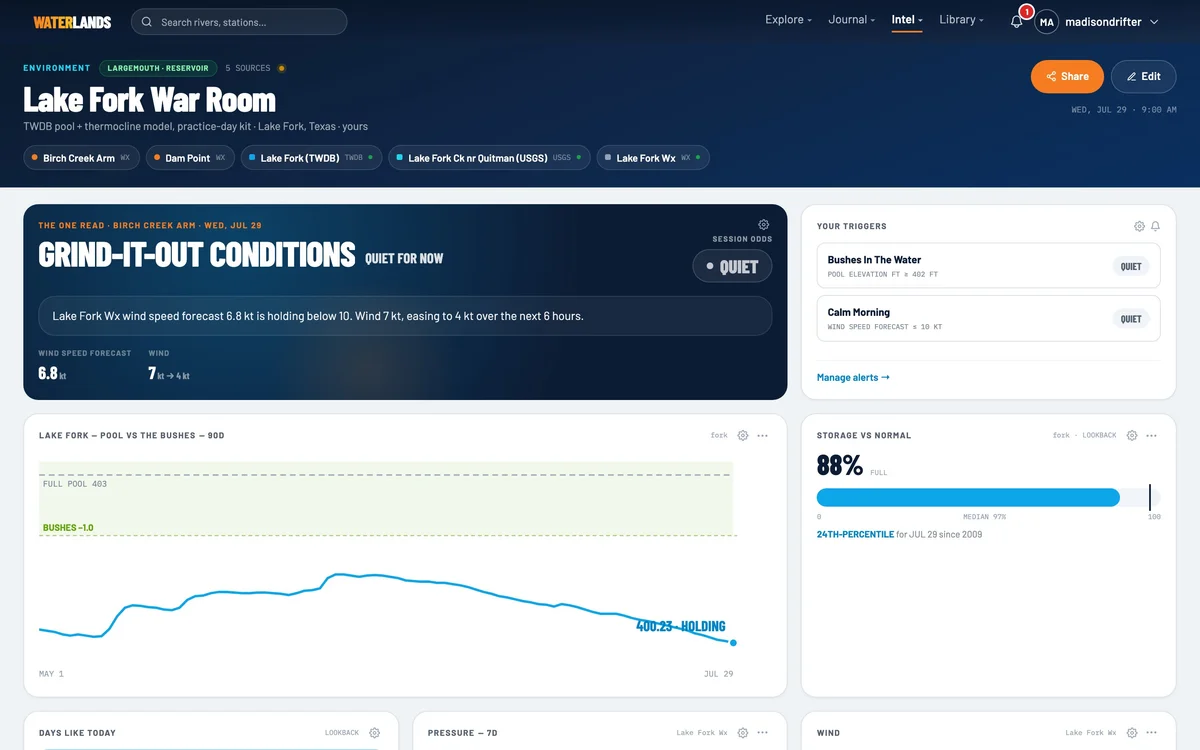
- Step 6 · The trigger
Step 6 of 6. “Tell me when the bushes go in”
A threshold trigger on pool elevation fires the day the water reaches your flipping bank — you hear about the rise when it happens, not from the weigh-in stage. A second trigger on the wind forecast flags the calm mornings worth burning a vacation day on.
The triggers live on the board and show their current state, so a glance tells you which gates are already green.
Set it and forget itAlso on this board
A pin map of your spots, the trigger stack, and the One Read card scoring the day for your best arm of the lake.