Phone in the pocket, or watch on the wrist
Float, wade, lake, salt, ducks, upland, whitewater — one logging loop for all seven, from the phone or a Garmin watch, with conditions recorded for you.
- Step 1 · What counts
Step 1 of 6. Seven activities, one button
Waterlands logs seven kinds of day: Float, Wade, Lake, Saltwater, Duck hunting, Upland bird, and Whitewater. Same button, same logging loop — pick the type and go.
The type is not a label, it is a lens. It decides which conditions get snapshotted, which questions a Read asks, and which Code your day trains — a duck morning feeds your Flight Code, not your fishing score.
FloatWadeLakeSaltwaterDuck huntingUpland birdWhitewater→NextHere is the loop on the phone.Phone · WatchOne button, seven lenses
The type you pick decides which conditions get snapshotted, which questions the Read asks, and which Code the day trains.
- Step 2 · The phone
Step 2 of 6. Start it and forget it
Tap the +, pick the activity, go. The session keeps the clock and the GPS track while the phone stays in your pocket.
At that moment Waterlands snapshots the conditions at your location — flow if you are on gauged water, weather, pressure and its trend, moon and solunar period. You never type a single condition, which is the only reason logging survives contact with an actual fishing day.
→NextThen log the action as it happens.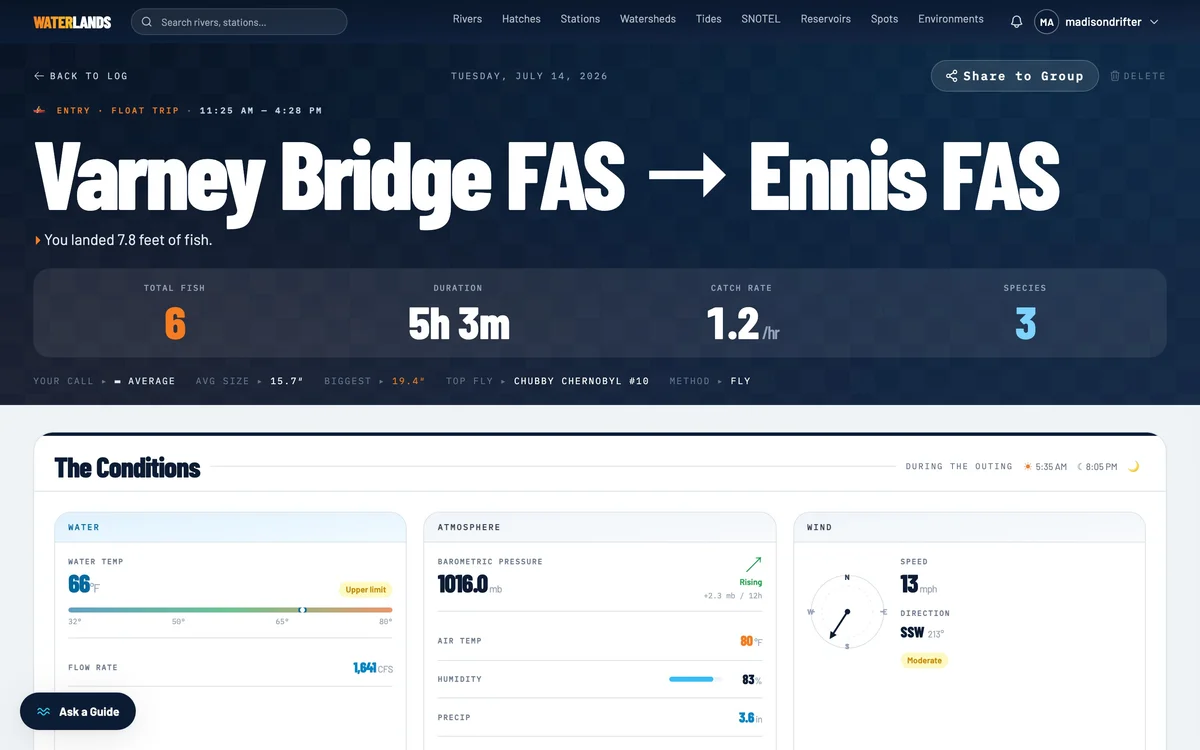
- 1The conditions snapshot — taken automatically, zero typing
- Step 3 · The habit
Step 3 of 6. One tap per fish, bird, or flush
Each activity logs its own currency: catches on the water, birds and shots in the blind, flushes and points in the field. One tap each, stamped with time and location.
That stamp matters later — it is what turns a season into a map of where things actually happened rather than where you remember them happening.
→NextOr keep the phone in the truck entirely.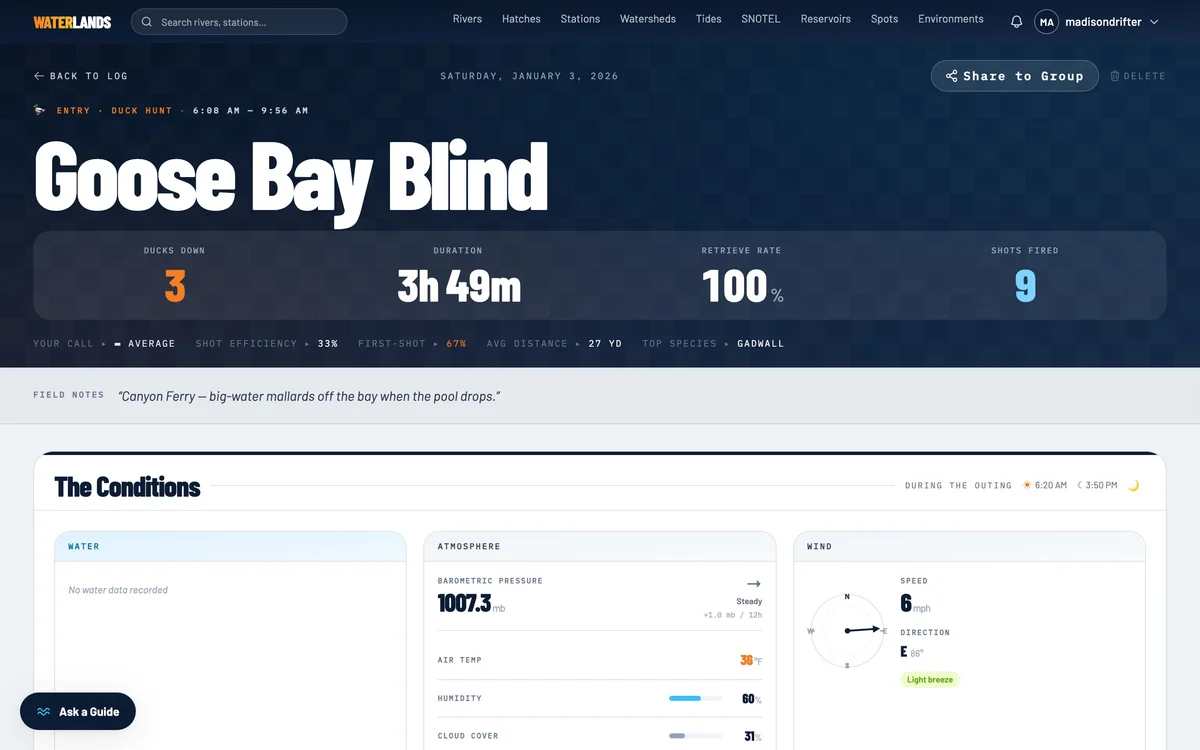
- Step 4 · The watch
Step 4 of 6. Or start it from your wrist
The Waterlands watch app runs on Garmin — Connect IQ, Instinct-class and other compatible watches. Same seven activities, picked on the watch face. It records the clock, the GPS track and the distance on the watch itself.
A button press logs a catch or a shot with its location. No phone required in the boat, the blind, or three miles of CRP.
→NextIt meets the phone later.Garmin · Connect IQOn the wrist
Pick the activity, start, and hunt or fish. One button logs a catch or shot with its location. Elapsed time and count on the face; catch rate per hour appears after the first hour, so short sessions never show a wildly extrapolated number.
- Step 5 · The sync
Step 5 of 6. Sync when you are back in range
The watch keeps sessions locally and ships them to the phone over Bluetooth when you tap Sync in the mobile app — no Garmin cloud account in the middle, your log goes from your wrist to your phone and nowhere else.
Start on the phone and link the watch mid-session, and the watch adopts the phone's elapsed time and count instead of restarting at zero. Either device can own the day; the record comes out the same.
TipWatch sessions get the same conditions snapshot when they sync — the timestamps and locations came along, so the enrichment fills in as if the phone had been there.→NextClose the loop when you are home.
- Step 6 · After
Step 6 of 6. Thirty seconds of Debrief
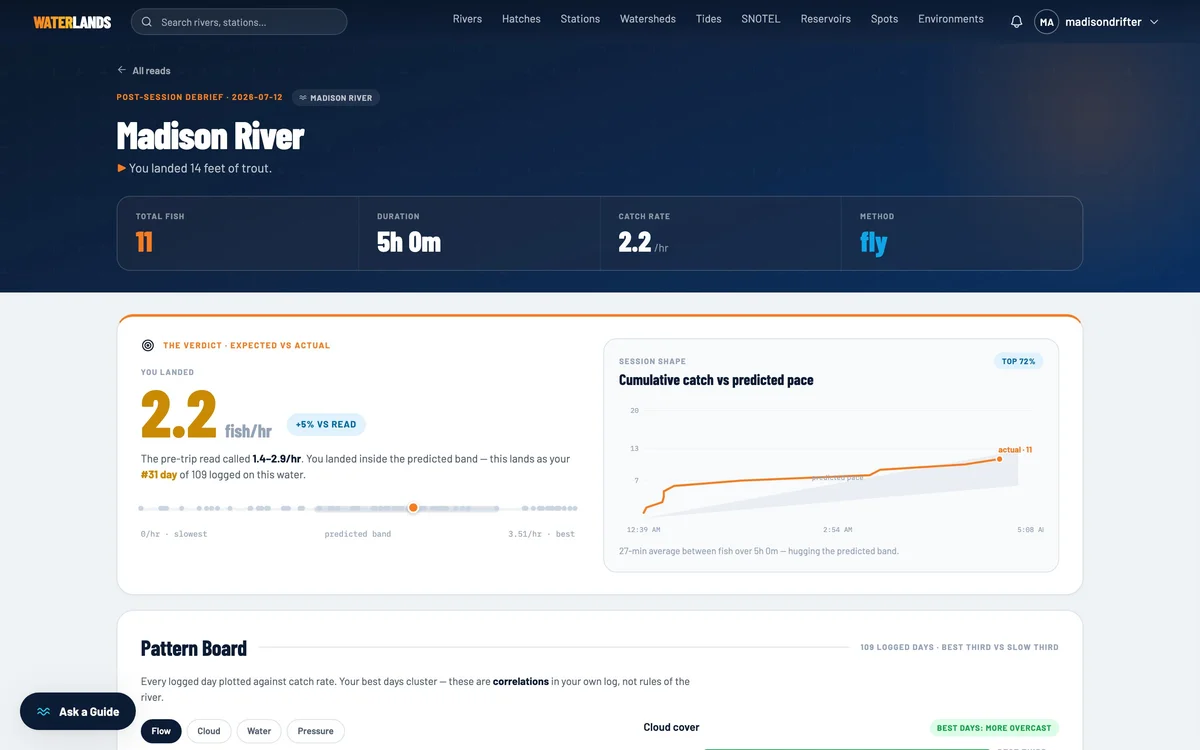
However the session was logged — phone, watch, or both — it ends the same way: a Debrief grading the day against what you expected, and ranking it against everything you have logged on that water.
That is the whole system. Log light, log honest, and every score in the app gets sharper with each entry.